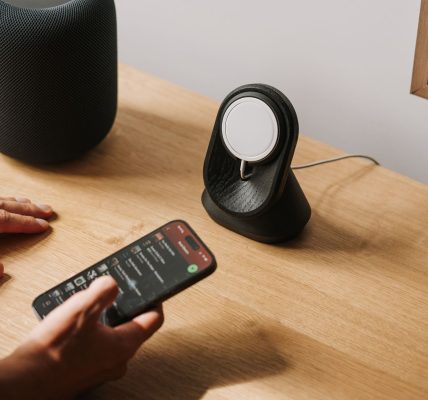

iPhone Duo Apple Pencil support has finally arrived with iOS 27.2, bringing exciting new features for users. This update enhances the device’s functionality and creativity.
What is New in iOS 27.2?
In the latest update of iOS 27.2, Apple has introduced several exciting features that elevate the user experience on the iPhone Duo. One of the standout enhancements is the seamless support for the Apple Pencil, which many users have eagerly anticipated. This new functionality allows for a more intuitive interaction with the device, making it easier to take notes, sketch, and annotate documents.
Alongside the Apple Pencil support, iOS 27.2 brings additional improvements that enhance performance and usability. Here are some key updates:
- Improved Multitasking: Users can now switch between apps more efficiently, allowing for a smoother workflow.
- Enhanced Privacy Features: New privacy settings give users greater control over their data and app permissions.
- Redesigned Notifications: Notifications are now more organized, making it easier to manage alerts and reminders.
- Battery Optimization: The update includes optimizations that extend battery life, ensuring that your iPhone Duo lasts longer throughout the day.
Overall, the combination of iOS 27.2 and the new iPhone Duo Apple Pencil support creates an engaging platform for creativity and productivity. Whether you are an artist, student, or professional, this update is sure to enhance how you interact with your device.
Benefits of Apple Pencil Support
The introduction of Apple Pencil support for the iPhone Duo marks a significant shift in how users interact with their devices. This feature brings a multitude of benefits that enhance productivity and creativity.
- Enhanced Precision: The Apple Pencil allows for more accurate input compared to using fingers alone, making it ideal for detailed tasks such as drawing, note-taking, or editing documents.
- Natural Writing Experience: Users can enjoy a more intuitive and natural writing experience, mimicking the feel of pen on paper. This is particularly beneficial for those who prefer handwritten notes.
- Increased Productivity: With Apple Pencil support, multitasking becomes seamless. Users can easily switch between apps and jot down ideas without interrupting their workflow.
- Creative Opportunities: Artists and designers can leverage the precision of the Apple Pencil to create stunning visuals directly on their iPhone Duo, making it a powerful tool for creativity on the go.
- Integration with Apps: Many applications are optimized for the Apple Pencil, offering features like pressure sensitivity and tilt detection, which enhance the overall user experience.
In summary, the iPhone Duo Apple Pencil support opens up new avenues for users, making it one of the most exciting features introduced with iOS 27.2. It combines functionality with creativity, setting a new standard for mobile devices.
User Reactions to iPhone Duo Update
Since the release of the iPhone Duo with iOS 27.2, users have been quick to share their thoughts on the new Apple Pencil support. Overall, reactions have been largely positive, with many praising the seamless integration of the Apple Pencil into their daily tasks.
Several users took to social media to express their excitement:
- Jane D. tweeted, “The iPhone Duo Apple Pencil support has changed the way I take notes! It feels so natural.”
- Mark T. commented, “Finally! I can sketch my ideas directly on my iPhone. The pressure sensitivity is amazing!”
- Emily R. shared, “I love how I can now edit photos with precision using my Apple Pencil on the iPhone Duo. It’s a game changer!”
However, not all feedback has been entirely positive. Some users have noted challenges in the transition:
- Tom S. expressed concerns about the learning curve, stating, “I’m still getting used to it. It’s a bit different from using my iPad.”
- Lisa K. pointed out, “I wish the palm rejection feature was better. Sometimes it gets in the way.”
Despite a few hiccups, the enthusiasm surrounding the iPhone Duo Apple Pencil support demonstrates a strong desire for innovative features in mobile devices.
How to Use Apple Pencil with iPhone Duo
Using the Apple Pencil with your iPhone Duo is a seamless experience that enhances productivity and creativity. Here’s how you can make the most of this new feature:
- Compatibility Check: Ensure your iPhone Duo is updated to iOS 27.2, as this version is essential for Apple Pencil support.
- Pairing the Pencil: To connect your Apple Pencil, simply go to the Bluetooth settings on your iPhone Duo. Once the Pencil is in range, tap to pair it. You’ll know it’s connected when you see a confirmation message.
- Using Notes and Apps: Open the Notes app or any compatible drawing application. You can start jotting down ideas or sketching immediately. The pressure sensitivity of the Apple Pencil allows for a range of artistic expressions.
- Customizing Settings: Dive into the Settings app to adjust the Apple Pencil settings. You can customize features such as double-tap actions, allowing for a more personalized experience.
- Battery Management: Keep an eye on your Apple Pencil’s battery life. A quick charge can be done using the iPhone Duo, ensuring you’re always ready to create.
With the integration of the Apple Pencil on the iPhone Duo, users can now enjoy an innovative tool that amplifies their digital experience. Whether for note-taking or artistic endeavors, this feature is undoubtedly a game changer.
The iPhone Duo Apple Pencil support has opened up new possibilities for creative expression and productivity. Many users are excited to explore how the iPhone Duo Apple Pencil can enhance their daily tasks and artistic endeavors.
via Wikimedia Commons
Where this came from
You might also like